Iris for Legal

Verbatim interpretation,
for the record.

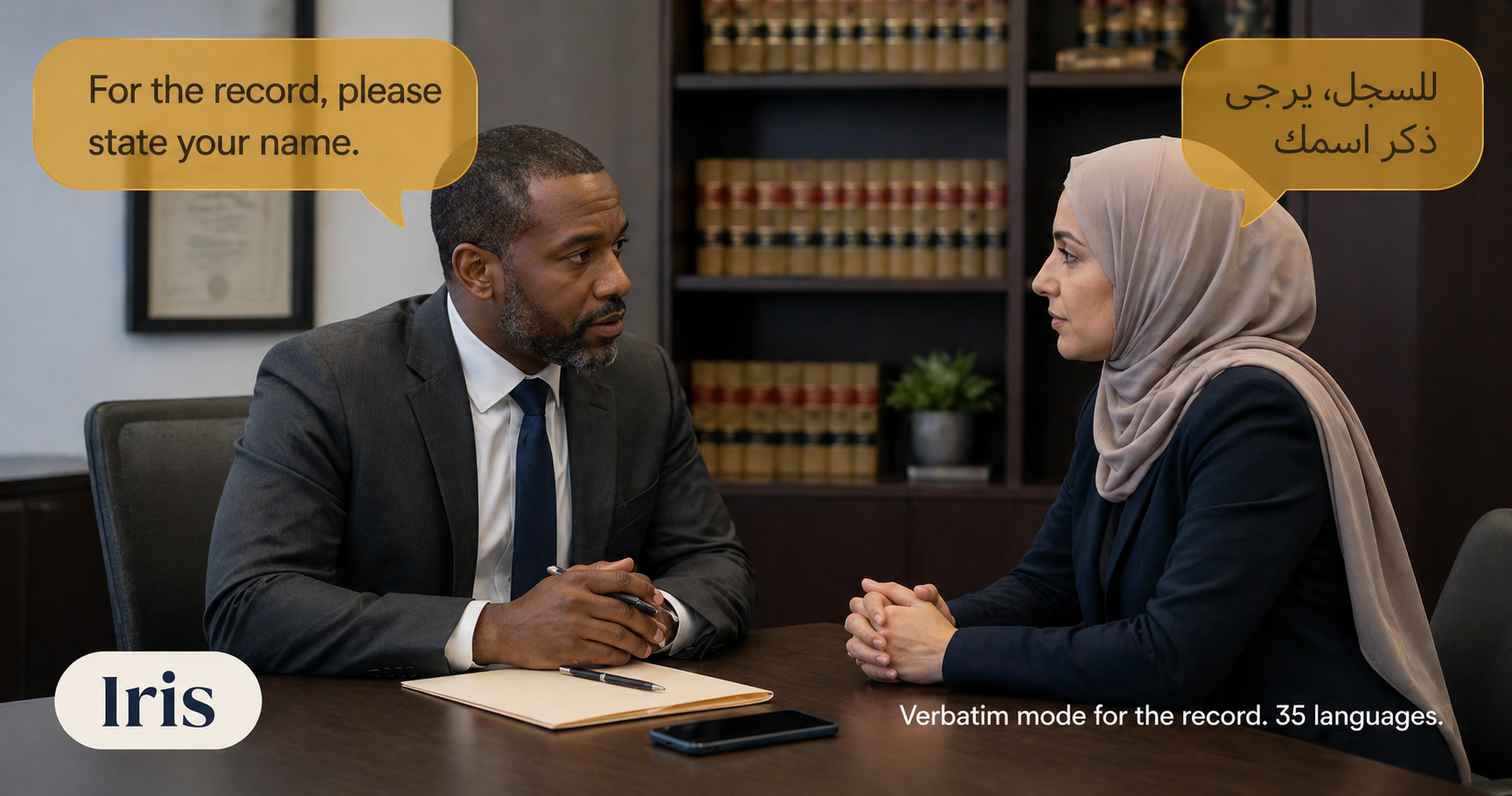
Client intake, witness prep, immigration interviews, family-law consultations. Iris is a real-time AI interpreter with a verbatim mode that preserves every word, hesitation, and false start — exportable as a transcript for your file. 35 languages. No 30-minute wait on a phone interpreter, no $300/hr line item for a meeting interpretation.

An attorney and a client in conversation through Iris on a smartphone, with English and Arabic speech bubbles overlaid

Built for the consultation room.

Three things the legal workflow needs that consumer translation apps don't have.

⚖️

Verbatim mode

"Uhs", repetitions, false starts, exact word order — preserved. The model is told to never clean up the speaker's grammar. Required for proceedings and witness statements where every disfluency matters.

📝

Transcript & summary export

Every session ends with a transcript downloadable as TXT, Markdown, or JSON. Drop into your case file, your billing system, or your discovery archive. Per-session retention controls (1 day to forever) for case-by-case privilege.

🔒

Privilege-grade controls

Per-session retention. Ephemeral mode (transcript saved nowhere). Encrypted at rest (AWS KMS). Full audit log. PHI/PII redaction patterns. Custom DPA on Enterprise.

Legal proceedings
Real scenario

An immigration intake without the cost.

A walk-in client speaks Spanish, you speak English. A live court-certified interpreter for a 30-minute intake meeting costs $200-$400 with a 2-hour minimum. Iris does the meeting for under $2 — verbatim mode on, transcript saved, redaction applied to SSN and dates of birth.

  • Client meetings, witness prep, immigration interviews, depositions
  • Verbatim mode preserves the exact disfluencies needed for the record
  • Custom glossary: case numbers, statute citations, technical terms preserved without translation
  • $0.30/min overage past the plan vs $1.95–$3.50/min phone-based services
Important: Iris is not a court-certified interpreter. For sworn testimony, hearings, and trial proceedings where certified interpretation is required by rule, retain a certified human interpreter. Iris is for the 80% of legal work — meetings, intake, prep, document discussions — that doesn't require certification but does need accuracy and a transcript.

Legal FAQ.

The questions that come up first in firm IT / privilege review.

Is the transcript discoverable?
Yes — anything stored in your account is discoverable subject to the same rules as any other electronic record you keep. For privileged conversations, use ephemeral mode (no transcript saved anywhere) or set a 1-day retention so the transcript auto-deletes after the meeting. The choice is configured per session before you start.
Can Iris replace a court-certified interpreter?
No. For court proceedings, sworn testimony, and any setting where a rule of court requires certified interpretation, retain a certified human. Iris is for everything else — client meetings, intake, immigration prep, witness familiarization, document review, family-law consultations — where the alternative today is "no interpreter at all" or "$200/hr phone interpreter for a 30-minute meeting."
How does verbatim mode actually work?
When verbatim mode is enabled, the system prompt instructs the AI to preserve every "uh", "um", repeated word, and false start verbatim — no cleanup. It's an AI behavior change, not a separate model. For most legal use, leave verbatim on. For casual client check-ins, turn it off and the translation reads more naturally.
Custom glossary — what's that?
A per-session list of terms that Iris must preserve exactly or render in a specific way. Examples: metformin (keep as-is in every language), Dr. Khan = Dr Khan (always render as "Dr Khan" without translation), case #2024-0457 (keep verbatim). Useful for case-specific names, technical terms, and jurisdiction-specific phrases.
What about edits — what if a translation is wrong?
During or after a session you can long-press any speech bubble to edit and re-translate. The corrected version replaces the original; the audit log records who edited what and when. Useful when a client clarifies something the model misheard.
Firm-level deployments

Multi-attorney firms or higher volume?

The standard plans cover most solo and small-firm needs. If you're running multi-seat deployments, need shared org plans, custom retention windows, or specific privilege/discovery controls — we'll scope an Enterprise engagement with you.

Get in touch